Planning Pod is an all-in-one event and venue management platform built for independent venues, caterers, and event planners running a high volume of events. It bundles 30+ tools, from leads and proposals to floor plans and payments, into one subscription, though there’s a real learning curve.
"A lot of features" isn't the same as "the right fit for your venue," so here's our honest take on what Planning Pod does well, where it falls short, what it actually costs, and who should consider an alternative instead.
TL;DR: Is Planning Pod Worth It?
- Planning Pod is an all-in-one event management platform built for independent venues, caterers, and event planners, covering leads, proposals, contracts, floor plans, and payments in one place.
- Pricing: Plans are event-based. Most single-location venues pay between $199 and $319 per month. Confirm current numbers directly with their sales team before you budget.
- Where it wins: Breadth of tools, an all-in-one dashboard, and pricing that bundles most features instead of charging module by module.
- Where it struggles: Floor plan and design tools feel dated, the interface has a learning curve, and reviewers report inconsistent customer support.
- Planning Pod suits venues that want one platform for a high volume of events and don't mind a bit of a learning curve. If you want something built for speed, simplicity, and a modern client experience, it's worth comparing to alternatives like Perfect Venue before you commit.
What Is Planning Pod and Who Is It For?
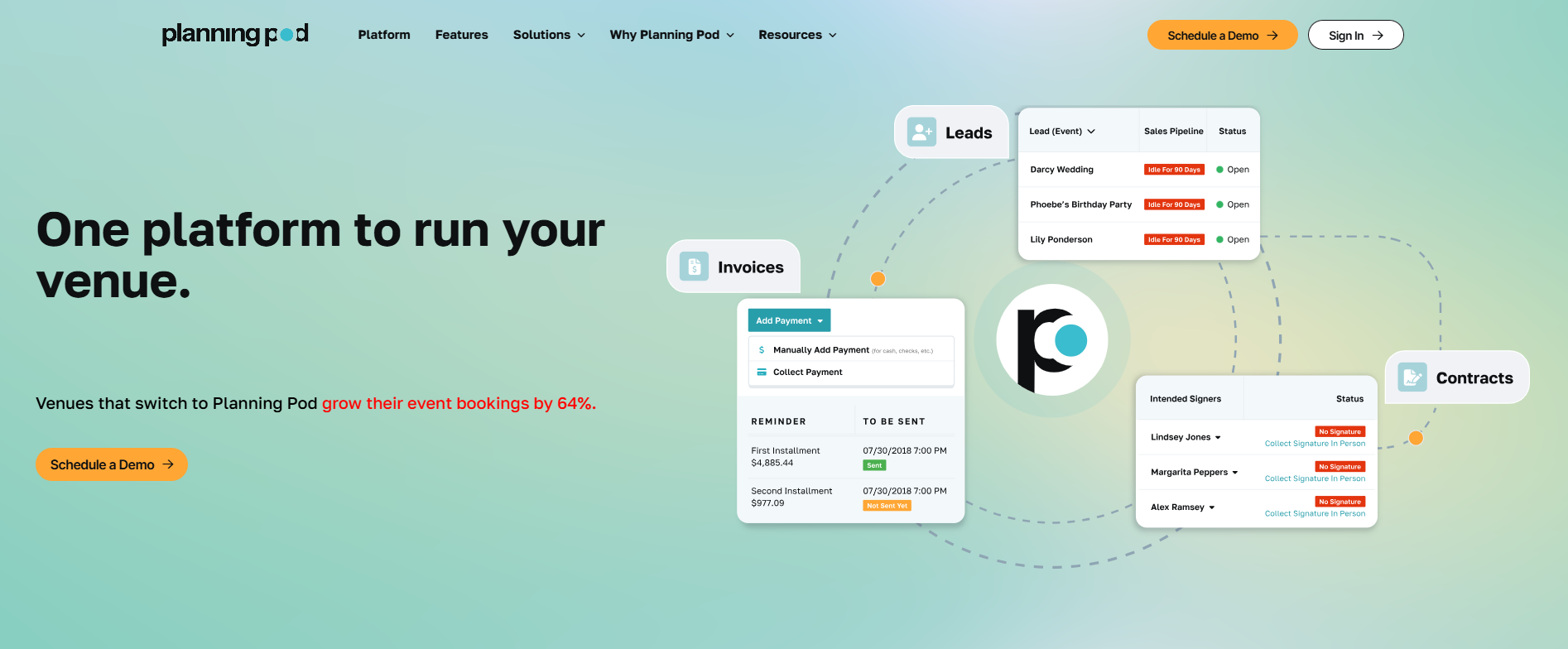
Planning Pod is an online, cloud-based software platform for venues, caterers, and event planners who need to run their whole event planning process, leads, event proposals, contracts, floor plans, and payments, from one system.
It's built for venue owners, catering businesses, and hospitality teams handling a steady volume of events, as well as corporate event planners and meeting planners who need real project planning support rather than a single planner organizing one wedding.
The platform bundles more than 30 tools into one subscription, which is its main pitch. Instead of stitching together separate apps for invoicing, scheduling, and client communication, you get a single, centralized place to manage the whole event lifecycle.
That makes Planning Pod a reasonable fit for venue managers managing multiple events simultaneously, though (as we'll get into) that breadth comes with some trade-offs in ease of use.
Key Features of Planning Pod
Planning Pod offers many features across five areas: event and venue management, business development, attendee and design tools, communication, and collaboration tools.
Most venue teams lean hardest on the management tools built around floor plans, lead management, contracts, and payments, and many build their own reusable templates for proposals and floor plans, then reuse those pre-made templates for different events instead of starting from scratch.
What Makes Planning Pod's Floor Planning Stand Out?
Planning Pod's floor plan tool lets you drag and drop tables, chairs, and other furniture onto a venue layout, then reuse those layouts for future bookings. It's a useful time-saver if you host the same style of event repeatedly.
That said, it's also one of the most criticized parts of the platform. Reviewers consistently describe the floor plan and design tools as outdated compared to dedicated event floor plan software, and some venues (especially those doing more visually complex layouts) find the customization options limiting.

How Does Planning Pod Handle Lead and CRM Management?
Inbound inquiries land in a central inbox tied to your event CRM, so you can track a potential client from first contact through signed contract without switching tools. Every lead gets a record in a client contact area, so you're not juggling all your clients across scattered spreadsheets and inboxes.
You can build lead-capture forms for your website, assign leads to team members, and see where each one stands in your pipeline.
It covers the basics well, but it isn't built around fast automated follow-up the way some newer, purpose-built venue CRMs are.
How Do Proposals, Scheduling, and Payments Work?
Event proposals let you add line items for food, beverage, and rental charges, then send the whole thing out for e-signature. A timeline feature and itinerary tool keep run-of-show details organized, and built-in task lists help make sure nothing slips through the cracks.
Communication features include a shared inbox and automated email reminder tools, so guests don't miss a deposit deadline.
For ticket sales, the built-in ticketing tool handles registration and payment together. Payments run through online payments and automatic payment scheduling, so you're not tracking credit card fees by hand for every event.
Since guest card details get stored for those payments, confirm that any platform you use, Planning Pod included, follows the PCI Data Security Standard.
What Integrations Does Planning Pod Offer?
Planning Pod connects directly with Google Docs, Salesforce, Mailchimp, Constant Contact, and Dropbox for syncing contacts and linking files, plus Zapier for connecting to hundreds of other software programs without changing any code, allowing users to keep contacts in sync instead of re-entering the same event details twice.
Planning Pod's Interface and User Experience
Planning Pod's interface gets mixed reviews. Some find it straightforward for day-to-day tasks like invoicing and scheduling, and appreciate having one dashboard instead of five separate logins. Others describe the interface as clunky, particularly in the invoicing and proposal sections, and say it feels like it needs a visual refresh.
The platform is mobile-responsive and works across Macs, iPads, iPhones, and Android devices, so you're not tied to a desktop to check on an event.
Our take: expect a real onboarding period and training sessions. Planning Pod isn't the platform to hand a brand-new team member and expect them to be productive by the end of the day. Budget time for training if you go this route, especially if your team is used to simpler, single-purpose tools.

Pros and Cons of Planning Pod
Pros
- Bundles 30+ tools into one subscription, no per-module fees
- Unlimited users on every plan
- Reusable floor plans and event templates save time on repeat bookings
- Centralized inbox keeps event communication in one place
- Mobile-responsive across phones and tablets
Cons
- Floor plan and design tools feel dated versus dedicated design software
- Steeper learning curve and longer onboarding than newer platforms
- Inconsistent customer support response times, per reviewer feedback
- Event-based pricing can get expensive fast if your event volume grows
- No public pricing page, so getting a quote takes an extra step
How Does Planning Pod Compare to Key Alternatives?
Planning Pod is often shortlisted alongside Tripleseat, which is positioned more toward larger, enterprise-grade hospitality groups, and Perfect Venue, which is perfect for independent restaurants and venues that want a faster, simpler setup.
If you're comparing all three, the honest breakdown is that Planning Pod wins on raw feature count, Tripleseat wins on enterprise scale, and Perfect Venue wins on ease of use and time to get up and running.
We've broken down the fuller comparison in our Tripleseat vs. Planning Pod post and our roundup of Planning Pod alternatives if you want to see how other platforms stack up feature by feature.
Why Perfect Venue Is The Best Planning Pod Alternative
If Planning Pod's learning curve or interface feedback gave you pause, Perfect Venue lets you manage inquiries, proposals, contracts, and payments with a much shorter ramp-up time.
We built it specifically for independent restaurants, hospitality groups, caterers, breweries, and event venues, so the feature set stays focused on what venue managers actually use day-to-day. It's part of why users voted Perfect Venue the #1 venue management software on G2.

A few features venue managers tell us they notice right away when they switch:
- AI Event Assistant: Perfect Venue can send a personalized response to a new inquiry within minutes and prepare AI-drafted replies for your team to review, so leads don't sit in an inbox overnight.
- Branded client portal: Guests can review proposals, sign contracts, pay deposits, and complete event questionnaires from a mobile-friendly portal, all without a back-and-forth email chain.
- Real-time event dashboard: Spaces show as available (green) or booked (red) at a glance, which helps teams avoid double-booking without digging through a calendar.
- ExpressBook: Guests can self-select an available time and confirm their own booking, cutting out several email rounds for simpler events.
- Weekly analytics digest: An automated report lands in your inbox with leads, conversion rates, and confirmed revenue, so you're not building that report by hand before a sales meeting.
Perfect Venue also fits multi-location restaurant and hospitality groups, not just single-site venues.
Locations can share email templates and automated workflows, run under one login with location-specific permissions, and cross-sell a guest to another location in the group when the first choice isn't available.
In short, Planning Pod suits venues that want the deepest possible toolkit and don't mind a learning curve. Perfect Venue suits venues that want to get a team fully trained and taking bookings within days, not weeks.
Conclusion: Is Planning Pod the Right Choice for Your Venue?
Planning Pod is a solid, feature-rich option if you're running a high volume of events and want everything, from floor plans to payments, under one subscription. It's a reasonable choice for venues that have the time to invest in onboarding and don't mind working around a dated interface here and there.
But if you'd rather your team be productive on day one, want a client experience that feels current, or if you're managing multiple locations and need centralized reporting, it's worth comparing Planning Pod against Perfect Venue before you sign a contract.
See the difference for yourself. Perfect Venue's event management software is built to get your team from inquiry to signed contract faster, with less onboarding and no per-module fees.
Book a free demo of Perfect Venue and see how it compares for your venue.
Planning Pod FAQ
How much does Planning Pod cost per month?
Planning Pod prices its plans by how many events you run at once rather than a flat monthly fee. It says that most single-location venues pay somewhere between $199 and $319 a month
Does Planning Pod offer a free plan or trial?
Planning Pod doesn't offer a permanently free plan. Trial availability isn't listed, so confirm directly with their team when you schedule a demo.
What is the best Planning Pod alternative?
Perfect Venue is the strongest alternative for independent restaurants, breweries, wineries, and event venues that want a faster setup and a shorter learning curve than Planning Pod. It covers the same core workflow, leads, proposals, contracts, and payments, without the per-module complexity, and it's built for teams that want to be taking bookings within days, not weeks.
Is Planning Pod good for a small, independent venue?
Planning Pod can work for a small venue, but its feature depth and learning curve are built more for teams running a high volume of events. A single-location venue that wants to be up and running fast may find a simpler platform, like Perfect Venue, a better fit.