
The best event management software for a multi-location restaurant or hospitality group is one built to run your whole portfolio, not just a single venue.
Perfect Venue tops our list because it gives every location the same login system, the same email templates, and one reporting dashboard.
In this guide, we'll cover what event management software does, the features that matter when you're running more than one location, and why Perfect Venue is built specifically for multi-location groups.
What Is Event Management Software?
Event management software is a system that lets a venue handle inquiries, proposals, contracts, and payments for private events in one place, instead of juggling email, a shared spreadsheet, and a stack of paper contracts. It sits at the center of event planning for any restaurant, hotel, brewery, or catering company that books private events on top of its regular business.
A Venue Manager gets one dashboard to track every event, from a corporate lunch at a restaurant to a wedding block at a hotel. The guest, on the other hand, gets a single portal to review a proposal, sign a contract, and pay a deposit, without opening five different tools or waiting days for a reply.
Most event platforms cover event lead capture from a venue's website, digital proposals, e-signatures, online payments, and reporting on how each event performed.
Why Do Multi-Location Restaurant and Hospitality Groups Need Dedicated Event Management Software?
Multi-location groups need event management software built for more than one venue, because running five restaurants on five separate systems creates five different guest experiences and five sets of numbers that never add up to one clear picture.
A tool built for a single location works fine for one venue. It falls apart once you're managing catering, private dining, and events across a whole group.
Restaurants are already planning to lean harder on technology for efficiency heading into 2026, and a group running several locations has more to gain from that than a single site does, since any inefficiency gets multiplied by every extra venue.
We've seen this pattern again and again with restaurant groups still running on spreadsheets or a single-site tool. One location's proposals look nothing like another's, sales reps aren't following the same process, and the ownership group has no easy way to compare how each venue is actually performing.
Businesses running multiple locations spend an average of 17 hours a week just repeating and clarifying communications between sites. That's most of a workweek lost to a coordination problem that centralized software solves directly.
Key Benefits of Centralizing Event Management Across Locations
Centralizing event management across locations gives you one system, one process, and one set of numbers instead of five. The benefits stack up fast once you're running more than one venue:
- One login for every location: Give each employee access to their assigned venues from a single account, with permissions set per person and per location.
- Shared templates and automations: Roll out the same email templates, follow-up sequences, and proposal formats to every venue instead of rebuilding them at each one.
- A consistent guest experience: Standardize client communications, proposals, contracts, and payments so a guest gets the same quality of service whether they're booking your downtown restaurant or the one across town.
- Portfolio-wide reporting: Compare sales, conversion rates, lead sources, and event volume by location and by sales rep, from one report instead of five.
- Cross-selling between locations: When a guest's first-choice venue is booked or doesn't fit their event, point them to another location in your group instead of losing the lead entirely.
- Lower costs at scale: Subscription tiers and processing fees that flex with each location's event volume, rather than one flat rate for every venue regardless of size.
Features to Look for in Event Management Software for Multi-Location Venues
The features that matter most for a multi-location group go beyond what a single restaurant needs. Look for a platform that handles permissions, payments, and reporting the same way across every venue.
Multi-Location Dashboard, User Permissions, and Calendar Management
A multi-location dashboard should let a user see every venue they're assigned to from a single login, with their own permission level at each one. That matters for hospitality groups where a regional manager might oversee three restaurants, while a single GM only needs access to their own.
Look for color-coded calendars by space and by status, so double-booking a room or a block of tables becomes far less likely.

Payment Processing and Security
Payment processing built for multi-location groups should let you collect deposits and final balances online, store card details securely, and keep processing costs predictable across every venue.
Any platform handling card payments should meet the Payment Card Industry Data Security Standard, the baseline security requirement for anyone who stores, processes, or transmits cardholder data.
Ask any vendor directly whether their card storage is PCI compliant before you sign a contract.
Digital Contracts and Proposals
Digital contracts and event proposals speed up the path from inquiry to signed deal by letting a guest review pricing, sign, and pay a deposit from one branded portal instead of a back-and-forth email chain.
For a restaurant group juggling private dining bookings across several sites, that speed matters when a lead is deciding between your venue and a competitor's.
Portfolio Reporting and Analytics
Portfolio reporting shows you sales, conversion rates, and event volume across every location side by side, instead of buried in five separate spreadsheets. A weekly digest that lands in your inbox automatically saves a GM from pulling numbers by hand before every sales meeting, and consistent event analytics across locations make it obvious which venue needs coaching and which one's worth studying.
Floor Plans, BEOs, and Event Operations
Floor plans and banquet event orders (BEOs) keep your operations team and your kitchen on the same page about setup, timing, and headcount for every event.
Some platforms, including Perfect Venue through its Prismm integration, let you build 2D or 3D floor plans and attach them directly to an event, so a client can see their layout before the big day instead of relying on a rough sketch.
Guest Communication
Guest communication tools, like shared email templates, automated fast replies, and click- and open-tracking, keep a lead from going cold while your team is busy running today's events.

Integrations With Your Existing Tools
Integrations with tools you already use, like Google Calendar, Gmail, Square, and 7shifts, matter more once you're running multiple locations, because you don't want every venue building its own workaround.
Calendar syncing should work the same way at every site, and connecting your event software to your existing stack up front saves your team from re-entering the same information across five different tools.
Why Perfect Venue Is the Right Event Management Software for Multi-Location Groups
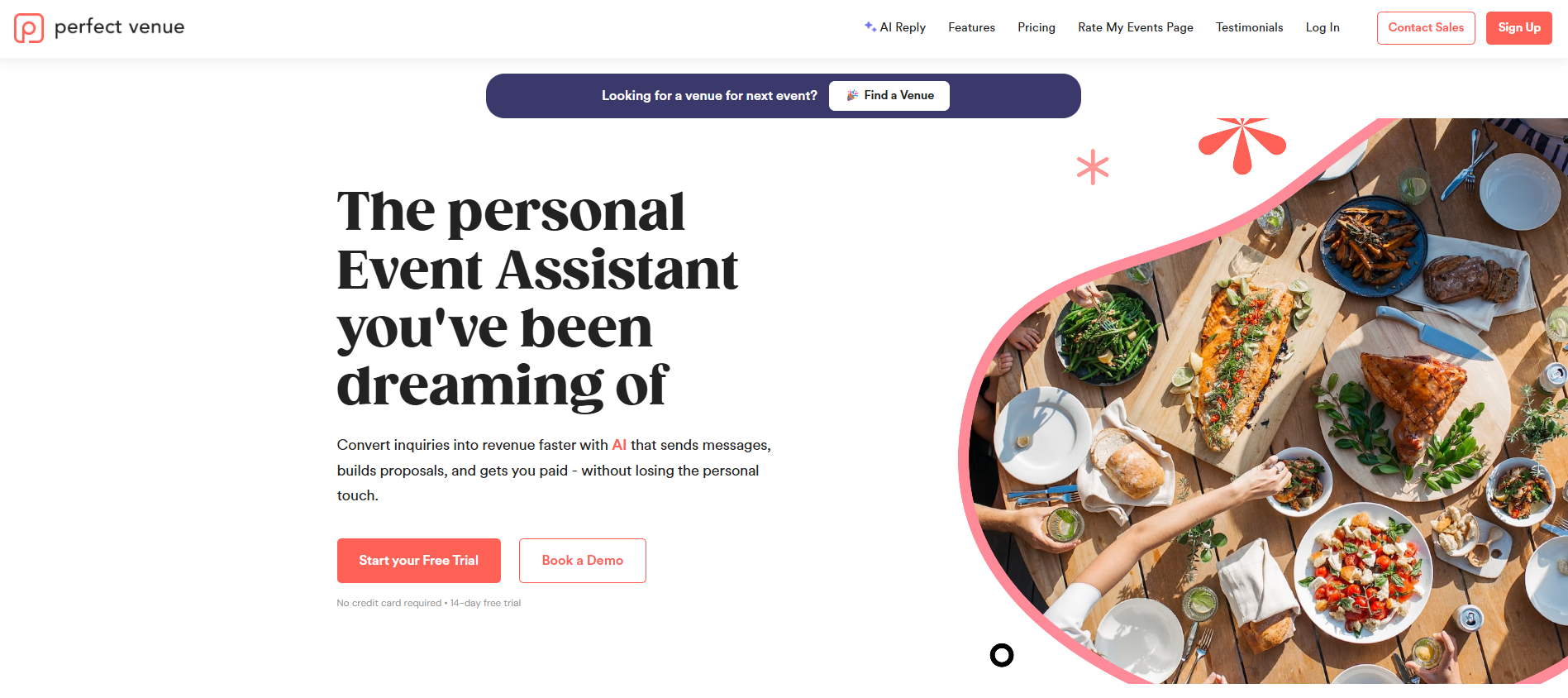
Perfect Venue is event management software for independent restaurants, hospitality groups, caterers, breweries, and event venues, and it's the platform we'd point a multi-location group toward first.
Every assigned location shares one login, with permissions set per employee and per venue, so a regional manager and a single-site GM each see exactly what they need.
Email templates, follow-up automations, and proposal formats can be managed centrally and rolled out to every location at once. Portfolio-wide reporting lets you compare sales, conversion rates, and event volume across your whole group from a single dashboard.
Main features:
- One login across every assigned location, with permissions set per employee and per venue
- Shared email templates, follow-up automations, and proposal formats managed centrally
- AI Event Assistant that sends a personalized reply within minutes of an inquiry and drafts follow-up emails for your team to review
- Digital proposals, contracts, and online deposits through a branded guest portal
- Portfolio-wide reporting on sales, conversion rates, and event volume by location
- Integrations with Google Calendar, Gmail, Square, Zapier, 7shifts, and Prismm for 2D and 3D floor plans
Subscription tiers scale with each location's event volume, so a smaller location isn't paying for the same plan as your flagship venue. New locations are easy to add as a group grows, and the interface is user-friendly and simple enough for GMs and event staff to pick up without a long training cycle.
In our experience working with restaurant groups on exactly this problem, that mix of one system, one process, and per-location flexibility is what actually gets adopted across a whole team, rather than sitting unused outside head office.
How to Roll Out Event Management Software Across Multiple Locations
Rolling out new software across several venues works best in phases. Here's the order that tends to cause the least disruption:
- Standardize your proposal templates, contracts, and email sequences before you launch anywhere, so every location starts from the same playbook.
- Pick one location to go first, ideally one with a GM who can help train the rest of the group once the system's live.
- Set up permissions per employee and per location from day one, rather than giving everyone access to everything.
- Connect your existing tools, like Google Calendar, Gmail, or your POS system, so nothing needs to be re-entered by hand at each venue.
- Review portfolio-wide reporting after the first full month to catch any location that isn't following the new process yet.

Ready to Run Every Location From One Venue Management System?
Choosing event management software for a multi-location group comes down to one question: can it run your whole portfolio the same way, or only one venue at a time?
Event professionals managing more than one restaurant, hotel, or brewery need event details to stay consistent from first inquiry through final invoice, not five different versions of the same event lifecycle playing out across five locations.
Perfect Venue handles that by centralizing logins, templates, and reporting across every venue in your group, whatever mix of restaurants, hotels, or breweries makes up your portfolio. That's what sets it apart in the events industry for groups specifically, rather than single-site venues.
The right fit still depends on how many locations you're running and how complex your event programs are. Still, management tools built to scale with your group instead of multiplying at every new location are what make the difference. Perfect Venue is built for exactly that job.
So if you're managing events across more than one restaurant, hotel, or venue, try Perfect Venue for free to see whether it fits how your group runs before you commit.
Frequently Asked Questions
What is the best event management software for restaurants?
For a single restaurant as well as restaurant groups running more than one location, Perfect Venue is the strongest option, since it centralizes logins, templates, and reporting across every venue instead of treating each one as a separate account. It's also easy to set up and use, so you can get it up and running across locations quickly.
Which software is mostly used in the hospitality industry?
Several platforms serve restaurants, hotels, breweries, and catering companies, and the right one usually comes down to venue size and how many locations you're managing. For a restaurant or hospitality group running more than one location specifically, Perfect Venue is built for that exact scenario, with centralized logins, templates, and reporting across every venue in the group.
What is the best software for hospitality management?
For managing private events specifically, Perfect Venue is the strongest fit for restaurant and hospitality groups with more than one location. Broader hospitality management, like reservations or point of sale, usually needs separate, dedicated software alongside your event platform.
What is the best event management software?
There's no single best event management software for every venue. For a multi-location restaurant or hospitality group specifically, Perfect Venue is the top choice because of how it handles permissions, templates, and reporting across a whole portfolio.


